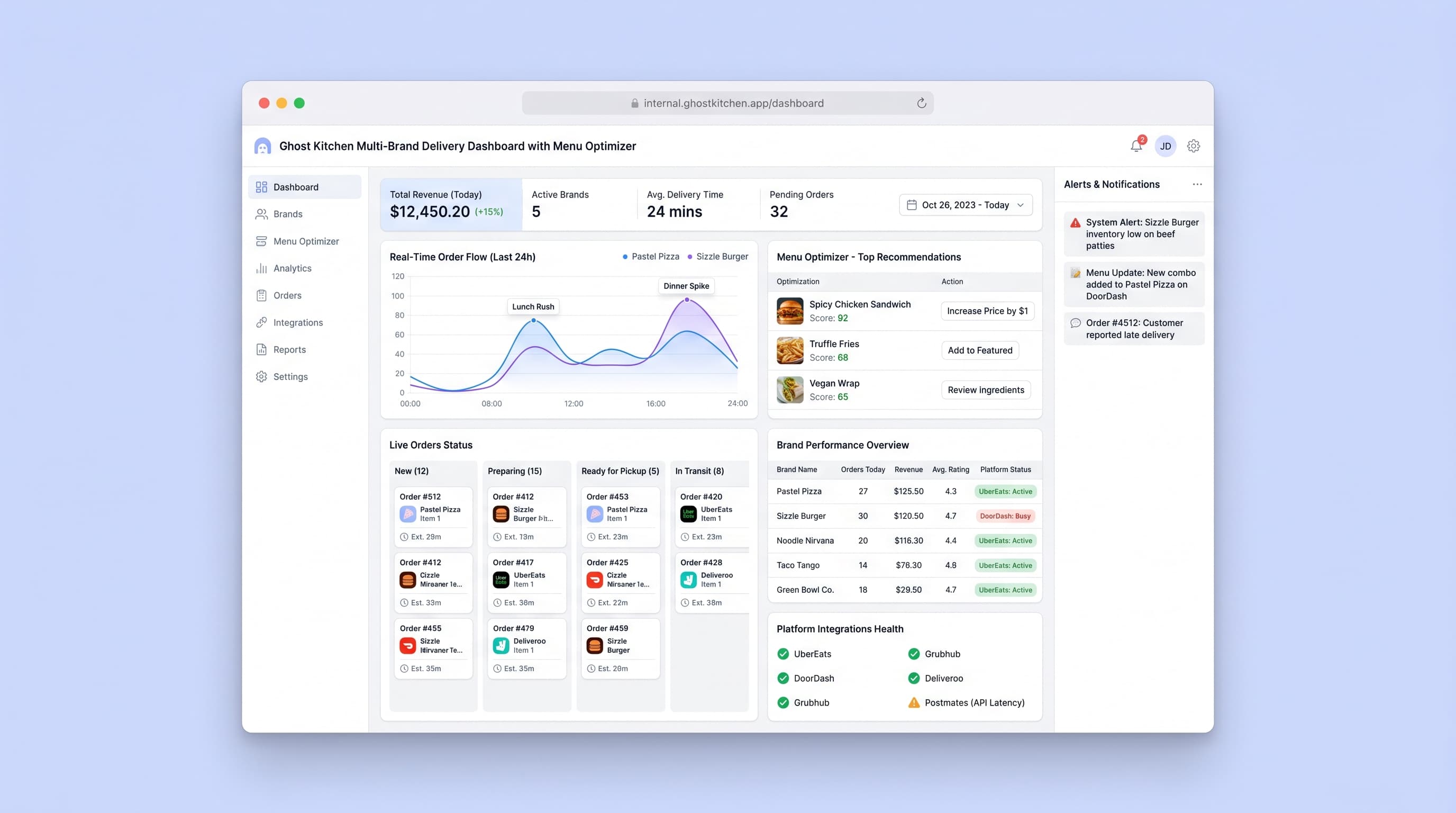
Full AI app builder prompt
Create an internal operations dashboard for ghost kitchen operators running multiple virtual restaurant brands from a single commercial kitchen facility. This tool helps kitchen managers optimize menus across brands, track ingredient usage, analyze sales patterns, and coordinate delivery logistics. Core Pages: - Multi-brand overview dashboard showing today's orders, revenue by brand, active delivery orders, and kitchen capacity utilization - Menu performance analyzer with dish-level profitability metrics (food cost percentage, prep time, order frequency, customer ratings) - Ingredient inventory tracker with par level alerts, usage forecasting based on order trends, and automated reorder suggestions - Order intake panel aggregating orders from multiple delivery platforms (simulated: Uber Eats, DoorDash, Grubhub) with unified preparation queue - Menu engineering workspace for testing new items, A/B testing descriptions and pricing, and scheduling seasonal menu swaps - Kitchen capacity planner showing prep station assignments, cook time estimates, and bottleneck identification - Customer feedback aggregator pulling ratings and reviews from all platforms with sentiment analysis - Financial reporting with brand comparison, weekly/monthly trends, and break-even analysis per menu item Data Model: - Virtual Brands (name, cuisine type, target demographic, active status, branding assets) - Menu Items (brand assignment, category, name, description, price, ingredients, prep time, cost, popularity score, rating) - Orders (order ID, brand, platform source, items, total, timestamp, prep status, delivery status) - Ingredients (name, unit, current stock, par level, cost per unit, suppliers, allergen flags) - Delivery Platforms (platform name, commission rate, active orders, integration status) UI Style: Clean operational interface with data-dense tables, real-time updating metrics, color-coded status indicators (green for on-track, yellow for warnings, red for critical). Use chart visualizations for trends, drag-and-drop menu builders, and prominent action buttons for urgent tasks. Dark mode option for kitchen tablet use. Integrations: Simulated APIs for delivery platforms, basic inventory management system connection, and email alerts for low stock or order surges. Success Criteria: Menu optimization leads to 15% improvement in food cost percentage, order fulfillment time reduced by 20%, inventory waste decreased by 25%, and ability to manage 4+ virtual brands simultaneously without operational chaos.
Best platform fit
This prompt is designed for AI app builders such as Lovable, Base44, Bolt, v0, Replit, and Cursor. Start with the complete prompt, then iterate with your target platform based on the database, auth, deployment, and design controls you need.